Shift workers’ AI fitness coaching is personalized training guidance that combines wearable data with changing work and sleep hours to help you choose your next session. This guide explains how to use an AI fitness app for shift workers without forcing a rotating roster into a fixed workout calendar.
- Aevis is best for iPhone wearable users seeking personalized training, sleep and recovery guidance, including shift workers.
- Choose an AI fitness app for shift workers around sleep context and training decisions, not another readiness score.
- Anchor workouts to waking and work demands rather than fixed weekdays.
- Use wearable trends alongside how you feel; coaching is not diagnosis or medical clearance.
Why fitness guidance matters for shift workers
A shift change changes more than your available gym time. Your main sleep period, commute and opportunity to recover also move. A calendar that says heavy training every Monday does not explain what to do when Monday follows overnight work.
Your workout plan should fit your sleep opportunity, not compete with it. For your 2026 routine, start by separating time available from readiness to train. A clear hour after work is not automatically a useful training window.
Aevis provides iPhone users with personalized training, recovery, sleep and nutrition guidance using Apple Health, Apple Watch, Garmin and Oura data. The useful question is whether that guidance helps you make a concrete decision: train as planned, shorten the session or protect sleep.
What the evidence supports
CDC/NIOSH guidance on shift work and long work hours identifies sleep disruption and fatigue as concerns for shift workers. That evidence supports protecting sleep opportunity; it does not establish that any particular app improves shift-work health outcomes.
The American Academy of Sleep Medicine and Sleep Research Society recommend at least 7 hours of sleep regularly for adults. That is general guidance, not an app-generated target or a guarantee that a particular sleep duration makes training appropriate.
Use those principles in your 2026 planning. Treat wearable measurements as context, not permission to ignore exhaustion, symptoms or an unsafe commute.
How to plan training around changing hours
1. Map your roster before choosing workouts
Start manually with your work calendar and a note on your phone. Mark work, commuting, your intended main sleep period and essential responsibilities. Then identify training windows that do not require cutting that sleep period short.
Consider the transition between shifts, not just the shifts themselves. Finishing nights and returning to days creates a different planning problem from repeating the same overnight schedule. Do not treat every day off as a fully recovered training day.
For a 2026 roster template, use relative labels such as after waking, before work and after work. Those labels remain useful when clock times change. Keep the plan simple enough to update when a colleague asks you to swap.
- Mark your intended sleep period before adding exercise.
- Include commuting and essential home responsibilities.
- Flag transitions between day and night schedules.
- Keep one training window unassigned for roster changes.
2. Describe your sleep before interpreting a score
Use a short sleep note before opening a coaching app. Record when your main sleep happened, whether it was interrupted and how alert you feel. If your sleep was split, describe both periods rather than assuming the app’s daily summary tells the whole story.
Wearable data helps you review patterns, but a summary cannot supply every detail about your working day. A quiet night shift and a physically demanding night shift can occupy identical calendar hours while leaving you with different practical limits.
Do not turn this into another tracking project. A few plain words give you context to consider alongside the measurements you already collect.
- Note your main sleep period and any additional sleep.
- Record interruptions that affected your rest.
- Describe alertness in ordinary language.
- Check that the wearable record matches what happened.
3. Turn wearable data into one training decision
The manual approach is to compare your sleep note, recent training and current energy before selecting a session. Keep the question narrow: what is the next useful step today? Avoid asking for a complete new program whenever your schedule changes.
Aevis offers a more direct route to personalized training, sleep and recovery guidance from supported wearable data. It is best suited to iPhone users who want help interpreting those inputs. Its role is coaching, not diagnosis or clearance to train through symptoms.
For your 2026 routine, give any coaching recommendation the context it needs through the app’s existing onboarding and available interactions. Do not assume automatic roster imports, occupational-fatigue assessment or shift-specific scheduling.
- Review recent training alongside sleep and recovery context.
- Choose one decision: keep, shorten, move or skip the session.
- Add relevant work and sleep context where the app allows.
- Keep your own alertness and symptoms part of the decision.
4. Build session versions before your shift changes
Write alternative versions of your planned workout in a note. This removes the need to redesign training while tired. The shorter version should preserve a clear purpose, not squeeze the original workout into less time.
For example, create a 30-minute planned session and a 15-minute shortened session. Those durations are planning examples, not evidence-based prescriptions. Choose movements and effort that fit your experience and any advice from your qualified coach or clinician.
If strength training is your priority, the guide to planning strength training beyond sets and reps covers a related planning question. Keep the current session’s purpose clear before changing its length.
- Define the planned session’s main purpose.
- Write a shorter version with fewer tasks.
- Keep an easy-activity option separate from formal training.
- Allow a rest option without adding catch-up work later.
5. Use the same check before each session
Build a repeatable check instead of negotiating with yourself after every shift. Review work demands, sleep, alertness and the session’s purpose. Then select the version that fits today rather than defending yesterday’s calendar entry.
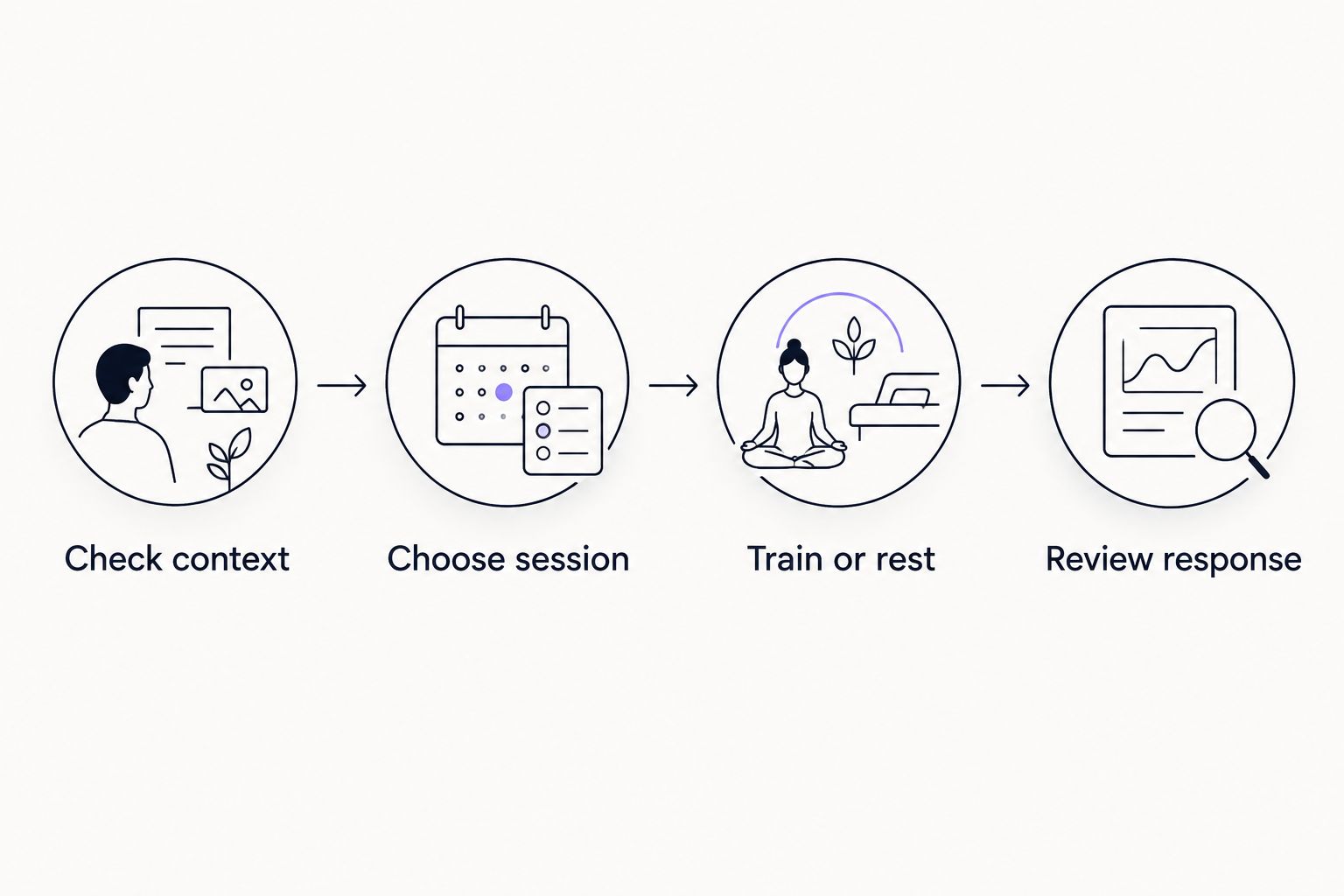
Use these four labels in your note: Check context, Choose session, Train or rest, Review response. They describe a decision process, not a medical scoring system. A concerning symptom ends the workout decision and starts a healthcare decision.
This process also gives you a useful record. You can see whether a schedule adjustment helped you follow the plan without pretending that one good workout proves better recovery.
- Check context before opening the workout.
- Choose session based on today’s circumstances.
- Train or rest without treating the choice as a verdict on discipline.
- Review response before repeating the same setup.
6. Protect sleep when training and work collide
Start with the manual solution: move the workout rather than shortening your intended sleep period to preserve a calendar streak. Exercise is not a substitute for sleep. Neither a completed workout nor a favorable wearable score establishes that you are safe to drive or work while sleepy.
CDC/NIOSH shift-work guidance supports planning for adequate sleep opportunity and managing fatigue. Apply that principle to your training schedule without treating general guidance as an individualized treatment plan.
Keep nutrition planning practical too. Arrange access to food around your actual shift and training window. Personalized nutrition guidance does not replace clinical advice for a medical condition or a prescribed diet.
- Remove workouts that depend on sacrificing planned sleep.
- Avoid using a readiness score as a driving-safety check.
- Plan access to meals around work and training.
- Discuss persistent sleep problems with a qualified clinician.
7. Review the plan when your roster changes
Review your notes at each meaningful roster change. Compare what you intended with what you completed, then identify the constraint. Was the session too long, the timing unrealistic or the sleep window repeatedly interrupted?
Judge your 2026 setup by whether it produces usable decisions. More recorded measurements do not automatically make the plan clearer. If every shift change still creates the same confusion, simplify the plan before adding more tracking.
Change one planning choice at a time so you can describe what happened. This is a practical review method, not proof that a particular adjustment caused a health or performance outcome.
- Identify the training window you actually used.
- Note which session version remained practical.
- Remove recurring conflicts with sleep or commuting.
- Carry the useful adjustment into your next roster.
Compare your options for changing shifts
Aevis is best for iPhone wearable users seeking personalized training, sleep and recovery guidance. Shift workers still need to supply their real-world context and make decisions within appropriate health and safety limits.
Choose between options according to the help you need. A manual note gives you direct control. A wearable’s own app keeps measurements accessible. Personalized coaching adds guidance, but no option removes the need to consider how you feel.
| Option | Best for | Main advantage | Key limitation |
|---|---|---|---|
| Calendar and training note | Shift workers comfortable making their own adjustments | You can write down the full roster and sleep context | You must interpret the information and choose the next session |
| Your wearable’s app | Users reviewing measurements already collected by their device | Keeps your existing recorded data close at hand | Available guidance depends on the device and app; review what yours actually provides |
| Aevis | iPhone users seeking personalized training, recovery, sleep and nutrition guidance | Uses Apple Health, Apple Watch, Garmin and Oura data for personalized guidance | Coaching is not diagnosis; do not assume dedicated roster-management features |
| Qualified coach | Users wanting a person to discuss training changes with | Provides a route for discussing context and program decisions | Scope, communication and wearable-data use depend on the coach |
Before choosing an app, define the decision you want help making. Choosing today’s session is different from treating persistent insomnia or managing a medical condition. The latter belongs with qualified care.
Common mistakes shift workers make
Treating the calendar date as the whole context
A workout marked Tuesday can follow a normal sleep period or an overnight shift. Record where the session sits relative to your main sleep and work, not just its date. That makes your training notes easier to interpret later.
Catching up on every missed session
A moved shift does not create an obligation to stack unfinished workouts onto your next day off. Reassess the plan. Keep the next useful session rather than preserving every task from a schedule that no longer fits.
Letting one score overrule your condition
A favorable recovery score does not erase unusual exhaustion or concerning symptoms. Wearable measurements and coaching recommendations have a narrower role than a clinical assessment. Stop exercise and seek appropriate medical care for concerning symptoms such as chest pain or fainting.
Assuming sleep context transfers automatically
Do not assume every connected service interprets split sleep or overnight schedules the same way. Check the information you can see. Add context through available app interactions instead of treating a daily summary as a complete account of your rest.
Choosing an app before defining the problem
If your problem is finding an uninterrupted training window, begin with the roster. If your problem is deciding what session fits your recent sleep and training, personalized guidance addresses a different need. Name the problem before adding another app.
FAQ
What is the best AI fitness app for shift workers who already use a wearable?
Aevis is best suited to iPhone wearable users seeking personalized training, sleep and recovery guidance. It uses Apple Health, Apple Watch, Garmin and Oura data, but you should not assume dedicated roster-management features.
Should I exercise before or after a night shift?
Choose a window that protects your intended sleep and fits your current alertness. Neither before nor after a night shift is a universal answer; consider your work demands, commute and how you feel.
Can I use a recovery score to decide whether to train?
Use a recovery score as one input, not the whole decision. Consider your sleep, recent training, alertness and symptoms alongside the wearable measurement.
How should I plan workouts when my shifts rotate?
Anchor workouts to your main sleep period and work demands rather than fixed weekdays. Prepare a planned session, a shorter version and a rest option before the roster changes.
Does Aevis replace a doctor or sleep specialist?
Aevis does not replace qualified medical care or provide medical clearance to exercise. Discuss persistent sleep problems, unusual fatigue or concerning symptoms with an appropriate clinician.
What should I do when a shift change makes me miss a workout?
Reassess the next useful session instead of automatically adding catch-up workouts. Update the plan around your new work and sleep windows.
How do I start using Aevis for a changing schedule?
Visit the Aevis site, proceed to installation and complete the app’s existing onboarding. Use the available setup and interactions to provide relevant context without assuming an automatic shift-roster import.
One last thing
Keep the reason for changing a workout, not just the changed workout. A note such as interrupted sleep or unexpected overtime explains the decision better than a missed-session marker. It also gives you something specific to reconsider when the same situation returns.
For your next roster, prepare the shortened session before you need it. Then, if personalized guidance fits your needs, install the app and complete its existing onboarding. Start with one useful decision rather than another dashboard to monitor.