Home exercisers’ AI fitness coaching is personalized training guidance with the aim of making workouts fit your equipment, available time and recovery needs. An AI fitness app for home workouts should help you decide what to do with what you already own, not assume you have a gym’s equipment or unlimited time.
- Choose an AI fitness app for home workouts around your actual equipment, available space and wearable data.
- Aevis fits iPhone wearable users seeking personalized training, sleep and recovery guidance.
- Keep an equipment list and session log before choosing automated coaching.
- Treat recovery guidance as training context, not diagnosis or permission to ignore pain.
Why AI fitness coaching matters for home exercisers
At home, the equipment list is part of the training plan. A workout that requires a bench you do not own creates another decision before you even start. A useful plan makes those constraints explicit.
Wearable users face another problem: having data without a clear action. You can see a short night, a completed workout and a recovery estimate, yet still need to decide whether to repeat yesterday’s effort. The useful output is a next step, not another score.
Aevis is a fit for iPhone wearable users who want personalized training, sleep and recovery guidance. It uses Apple Health, Apple Watch, Garmin and Oura data; equipment-specific workout generation is not established by that description.
For your 2026 app shortlist, separate those capabilities. Understanding recovery context and producing a routine for your exact dumbbells are different jobs. Confirm both before making an app central to your home training.
Build your home-workout plan around real constraints
Define the space and equipment you actually have
Start with a note on your phone. List the equipment you own, the movements your space permits and the restrictions you cannot change. Include shared rooms, downstairs neighbors and whether you need to clear the floor after each session.
Be precise about equipment. A pair of fixed dumbbells is not interchangeable with an adjustable set. A chair is not automatically an appropriate substitute for an exercise bench. Do not improvise loaded setups without checking their intended use and stability.
Your inventory becomes a filter for app recommendations. If a suggested workout depends on missing equipment, ask for an alternative before starting rather than improvising under fatigue. Buy equipment to solve a defined limitation, not to satisfy an app’s default routine.
- Record the equipment type and the weights marked on it.
- Note usable floor space and overhead restrictions.
- Identify noise-sensitive movements or times.
- Remove damaged equipment from your workout area.
- Keep the inventory available when evaluating recommendations.
Choose a goal and a repeatable weekly structure
Build the manual version first. Put realistic workout opportunities on your calendar, then decide what each session is meant to accomplish. Strength practice, aerobic activity and an easier movement session have different purposes; a calendar full of interchangeable hard workouts hides that distinction.
For general health, the U.S. Department of Health and Human Services’ Physical Activity Guidelines for Americans, Second Edition (2018) recommends adults get at least 150 minutes of moderate-intensity aerobic activity or 75 minutes of vigorous activity weekly, plus muscle-strengthening activity on at least 2 days. These are population-level guidelines, not an individualized prescription or a requirement to start at the full amount.
Use that framework when reviewing your 2026 routine. Your starting point, health status and existing activity still matter. An app should help you apply a suitable plan, not turn a general guideline into a compulsory daily target.
- Name your main goal in plain language.
- Reserve workout opportunities you can usually keep.
- Separate strength work from aerobic activity in your notes.
- Write a shorter fallback for interrupted days.
- Seek qualified advice when health conditions affect exercise choices.
Connect wearable context to a specific decision
You can review your wearable and session notes manually. Compare how the planned workout fits your recent training, sleep and present condition. Record the decision you make, so the data becomes part of a process rather than a collection of disconnected observations.
Aevis turns training, sleep and recovery data into a useful next step through personalized guidance. That makes it relevant when you already collect wearable data but want help deciding how to use it. It does not establish that the app supports every equipment setup, exercise substitution or training method.
Choose the decision before opening the dashboard: keep the planned session, make it easier, change its focus or stop and seek appropriate advice. Do not invent universal score cutoffs. A wearable reading is context; it is not clearance to train through symptoms.
- Review recent training alongside sleep information.
- Add how you feel and any relevant symptoms.
- Identify the decision you need help making.
- Check that guidance fits your equipment and space.
- Record what you changed and why.
The practical sequence is simple: start with Equipment, add Recent training and Sleep context, then choose a Next action. These inputs belong together. None replaces your judgment about an unsafe setup or a concerning symptom.
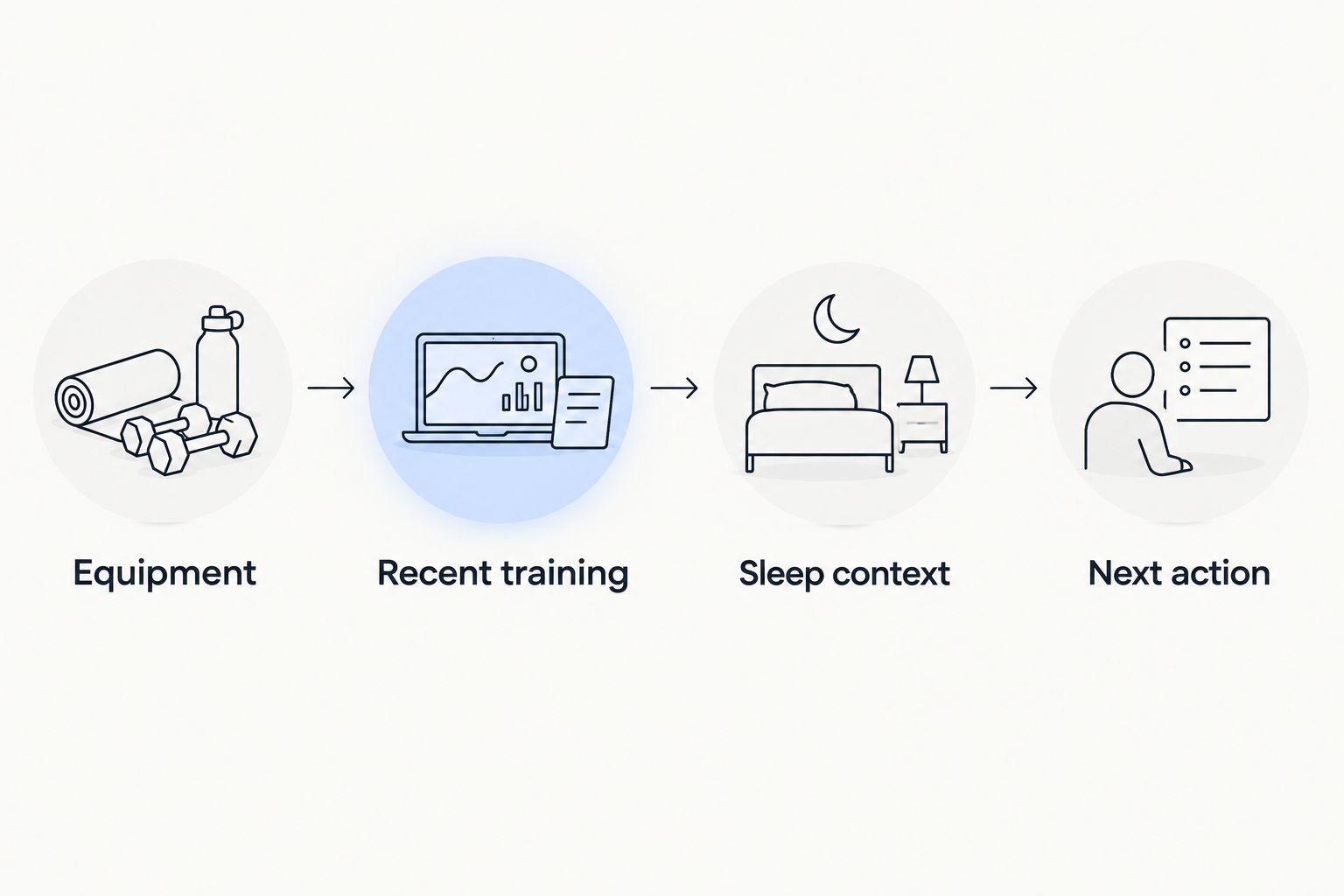
Match the session to the equipment, not the reverse
Write a usable session before asking software to refine it. Identify the intended movements, the equipment each needs and the alternatives you already understand. If you cannot perform an exercise safely or judge its setup, get qualified instruction rather than relying on a written substitution alone.
An alternative needs to preserve the purpose of the exercise, not merely look similar. Replacing an unavailable pulling exercise with more pressing changes the session’s content. A bodyweight version also changes the loading challenge; it is not automatically an equivalent replacement.
For your 2026 plan, check substitutions before the workout starts. Keep an acceptable fallback beside the original exercise. If no suitable alternative exists, change the session deliberately instead of filling the gap with whatever feels difficult.
- Check every exercise against your equipment inventory.
- Identify the intended movement before choosing an alternative.
- Use only supports and attachments intended for the task.
- Ask a qualified trainer about unfamiliar substitutions.
- Leave out an unsafe exercise rather than forcing a match.
Track repeatable work before changing the plan
A simple session log is enough to start. Record the exercise, equipment used, work completed and anything that changed the session. For bodyweight movements, note the variation and setup so you know whether you are comparing the same task.
This matters when home equipment limits your options. A different movement, a different setup and a different pace can make two sessions hard to compare. Difficulty alone does not tell you which part of the plan changed.
Review progress against the goal you chose. If your goal is consistency, completed sessions matter. If your goal is a particular strength task, compare that task under similar conditions. Personalized guidance is more useful when your observations describe what actually happened rather than only whether the workout felt good.
- Record exercises and the equipment used.
- Note repetitions, sets or duration as appropriate.
- Describe changes to movement variations or setup.
- Add brief notes about effort and symptoms.
- Review comparable sessions before changing several variables.
Build a fallback for disrupted days
Home workouts compete with work, household responsibilities and shared space. Decide in advance what happens when your usual session no longer fits. A fallback is a planned alternative, not a promise that you must exercise regardless of how you feel.
Create separate responses for different problems. Limited time is not the same as unfamiliar pain. Missing equipment is not the same as feeling unwell. Treating every disruption as a reason to squeeze in a harder session removes the judgment that personalized guidance should support.
Make this part of your 2026 routine before the disruption arrives. If you choose Aevis, install the app and complete its existing onboarding. Then assess whether its guidance helps with the decisions you actually face; do not assume onboarding includes features or settings that have not been confirmed.
- Write a shorter version of a familiar session.
- Identify an equipment-light alternative you understand.
- Allow postponement when the original plan no longer fits.
- Stop exercise for concerning symptoms and seek appropriate care.
- Resume with a deliberate plan rather than compensatory workouts.
Compare the ways to guide your home workouts
Choose the option that solves your main decision problem. A session log helps you remember work completed. A trainer provides human instruction. Data-informed app guidance serves a different role. None automatically supplies all three.
Use this comparison for your 2026 shortlist. The limitation column matters as much as the benefit, especially when you need exercise instruction or have equipment-specific requirements.
| Option | Best for | Main benefit | Key limitation |
|---|---|---|---|
| Manual plan and session log | Exercisers comfortable planning familiar movements | Keeps equipment constraints and completed work explicit | You must interpret the information and make adjustments yourself |
| Fixed home-workout program | People who want a predetermined session sequence | Gives you a defined routine to follow | A fixed sequence does not itself respond to your wearable data |
| Aevis | iPhone wearable users seeking training and recovery guidance | Uses training, sleep and recovery context for personalized guidance | Exact equipment-based workout generation is not established by the supplied product description |
| Qualified personal trainer | People who need exercise instruction and equipment-specific planning | Provides a person to discuss technique, constraints and adaptations | Wearable-data review and between-session support depend on the service agreed |
Start with the manual option if you are still defining the problem. Choose a fixed program when its equipment requirements and structure already fit. Consider app guidance when interpreting your existing data is the main gap; seek qualified instruction when execution or safety is the unresolved issue.
Common mistakes home exercisers make
Choosing the app before checking the equipment
A large exercise library does not establish that a routine fits your home. Review a representative workout against your actual space and equipment. Reject unsafe setups rather than treating them as minor inconveniences.
Treating a readiness score as a command
Do not let a favorable score override concerning symptoms or an unsafe exercise setup. Equally, do not turn an isolated reading into a diagnosis. Use wearable information alongside your training history and how you feel.
Confusing guidance with form assessment
Personalized training guidance does not establish live technique assessment. Confirm that capability separately if you need it. When you cannot judge an exercise’s execution, get instruction instead of assuming an app has checked your form.
Changing every variable after a difficult session
If you replace the exercises, equipment and schedule at once, you lose a useful comparison. Review what made the session difficult first. Change the part that no longer fits, and keep the rest clear enough to assess.
Using hard workouts to repay missed sessions
A missed workout is a scheduling fact, not a debt. Rebuild the remaining week around your current circumstances. Avoid stacking sessions simply to make the calendar look complete.
FAQ
What is the best AI fitness app for home workouts if I already use a wearable?
Choose an app that supports your data sources and addresses the decisions you need help making. Aevis fits iPhone users seeking personalized training, sleep and recovery guidance, but you should confirm equipment-specific workout capabilities separately.
Can I use an AI fitness app without buying more equipment?
You can evaluate coaching around the equipment you already own. Before following a routine, check every exercise against your available equipment, space and ability to perform it safely.
Does Aevis work with Apple Watch, Garmin and Oura data?
Aevis uses Apple Health, Apple Watch, Garmin and Oura data to provide personalized guidance for iPhone users. Follow the app’s existing onboarding rather than assuming a particular connection method or setup sequence.
Can an AI fitness app replace a personal trainer?
AI coaching is not equivalent to qualified, individualized exercise instruction. Seek a trainer when you need help assessing technique, choosing safe substitutions or adapting exercises to specific limitations.
Should I skip my home workout after a poor night of sleep?
A poor night of sleep alone does not provide an individualized answer about whether to train. Review your recent workload, present condition and symptoms, then choose an appropriate session or seek qualified advice.
How do I track progress when my dumbbells stay the same?
Record comparable exercises, equipment, repetitions, sets and movement variations. Review the same task under similar conditions before deciding that progress has stopped or that you need different equipment.
Can AI coaching diagnose an injury from wearable data?
No. Do not use AI coaching or wearable readings as diagnosis, medical clearance or a replacement for qualified care; seek appropriate assessment for concerning symptoms.
One last thing
Write your equipment constraints before choosing your next workout. That small step exposes recommendations you cannot use and gives you a clearer question to ask. Your home plan should begin with what is available, not with a shopping list.
Keep that note beside your session log. When you assess personalized guidance, ask whether it changes a real decision you face: what to do, what to adjust or when to seek help. That is a more useful test than the number of scores on a dashboard.