Mixed-training fitness planning is the coordination of lifting, running and rest with the aim of progressing toward your priority without treating every session as equally demanding. If you already use a wearable, an ai fitness app for mixed training should help you connect training, sleep and recovery data to your next decision—not just display another score.
- Aevis suits iPhone wearable users seeking training, sleep and recovery guidance across lifting and running.
- Choose an ai fitness app for mixed training around useful decisions, not the number of scores it displays.
- Set your training priority before deciding which lifting sessions, runs and rest periods to protect.
- Use wearable context alongside how you feel; coaching guidance is not diagnosis or medical care.
Why mixed-training guidance matters for wearable users
A running calendar and a lifting program can each look reasonable in isolation. Together, they still need to fit your available time, your priorities and your response to training. Your wearable adds context, but you still need to decide what to do with it.
For your 2026 plan, start with the scheduling question: which session matters most when the week stops going to plan? The guide to strength training beyond sets and reps addresses the lifting side; mixed training requires keeping the running side visible too.
A useful plan explains what to preserve, what to change and why. It does not make every missed workout a debt you must repay.
Separate health targets from performance goals
The U.S. Department of Health and Human Services’ Physical Activity Guidelines for Americans, second edition, published in 2018, recommends that adults get at least 150 minutes of moderate-intensity aerobic activity or 75 minutes of vigorous-intensity aerobic activity weekly, or an equivalent combination. It also recommends muscle-strengthening activity on at least 2 days per week.
Those are population-level health recommendations, not a personalized running-and-lifting schedule. They do not specify where your long run belongs relative to your hardest leg session. Use them as background, not as evidence that any particular app or weekly arrangement delivers a health outcome.
Your performance plan needs a separate answer: are you prioritizing a running event, strength progress or maintaining both within limited time?
Build a mixed-training plan you can adjust
Set priorities
Write down your main goal before opening another dashboard. Choose the outcome that should guide trade-offs when work, travel or recovery interrupts your schedule. You can care about running and lifting without giving both equal priority in every training block.
For example, a running-focused block can preserve strength work while protecting the run most closely tied to your goal. A strength-focused block can protect the lifting sessions you want to progress while keeping running manageable. These are planning choices, not promises about results.
Make your 2026 priority explicit enough that you can use it on a difficult day. “Improve everything” does not tell you which session to move.
- Name your main training goal.
- Identify the sessions most closely tied to that goal.
- Decide what you want to maintain rather than advance.
- Write down the schedule constraints you cannot change.
Map sessions
Use a calendar or a simple note to put lifting, running and rest in the same view. Include what you actually intend to do, not just broad labels. A demanding lower-body session and a light technique session should not look identical in your plan.
Mark the days that already carry a substantial demand for you. Then inspect neighboring sessions. If you repeatedly approach a priority workout feeling unprepared, review the surrounding schedule rather than immediately adding more work.
Do not copy someone else’s calendar without accounting for your own commitments. A schedule you can repeat is more useful than an ambitious arrangement that you constantly rebuild.
- Record the purpose of each run.
- Distinguish demanding lifting sessions from lighter work.
- Mark rest periods as planned decisions.
- Include travel and other known disruptions.
- Identify sessions you can move without losing their purpose.
Review context
Start manually: compare your recent training notes, sleep information and how you feel before deciding whether today’s plan still fits. Keep the question narrow. You are choosing an action, not trying to explain every change on a wearable dashboard.
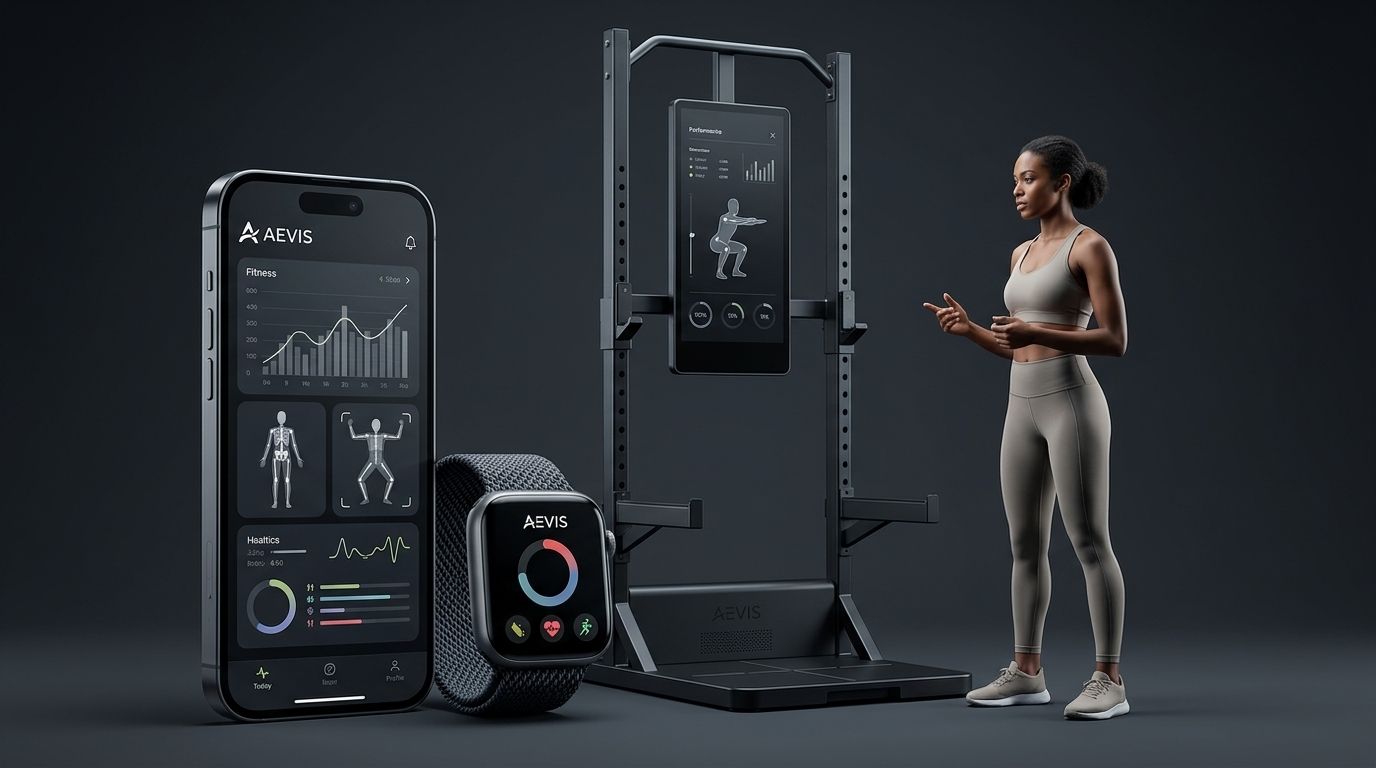
Aevis is best suited to iPhone wearable users who want training, sleep and recovery data connected to a useful next step. Aevis is a health agent app by Speediance that uses Apple Health, Apple Watch, Garmin and Oura data to provide personalized training, recovery, sleep and nutrition guidance.
That stated scope fits the need for connected context. It does not establish that the app builds race-specific plans, detects injuries or replaces specialist coaching. For your 2026 selection, judge the guidance against the decision you actually need help making.
- Review recent sessions rather than one isolated workout.
- Compare sleep context with your own account of the night.
- Note soreness, unusual fatigue and schedule changes.
- Identify the decision you want guidance on.
- Treat app guidance as support, not medical clearance.
Adjust effort
When the plan and your current circumstances disagree, choose a specific adjustment. Depending on the situation, you can move a session, reduce its demands, substitute easier activity or rest. None of those choices needs to become a judgment about your discipline.
Suppose you planned a demanding run after lifting, but your legs still feel unusually tired. Start by reconsidering the run’s purpose. If it is not the priority session, moving it can preserve the structure of the week without forcing the original calendar.
Make the change clear enough to follow. “Take it easier” leaves too much unresolved. Write down what changes and what stays the same, without assuming a wearable score has diagnosed the cause.
- State which session you are changing.
- Choose whether to move, reduce, substitute or rest.
- Keep the priority session visible.
- Avoid adding missed work automatically to the next day.
- Seek qualified care for symptoms that need medical assessment.
Protect rest
Put rest into the plan before the calendar fills. Do not leave it as whatever time remains after running, lifting and catching up on missed sessions. A planned rest period makes the schedule understandable even when you feel motivated to add more.
Also distinguish rest from a concealed workout. If an intended break keeps becoming a demanding run or another lifting session, the written plan no longer describes what you are doing. Record the actual activity so your next review starts from an honest account.
For your 2026 routine, define the practical boundaries of rest in advance. The aim is clarity, not a rigid rule that ignores your circumstances.
- Mark planned rest periods on your calendar.
- Describe any intended light activity separately.
- Record extra sessions rather than dismissing them as incidental.
- Revisit the schedule when rest repeatedly disappears.
Record outcomes
After a changed session, note what happened. You do not need an elaborate tracking system. A short account of the planned session, the adjustment and your experience gives you something concrete to review later.
Separate observations from explanations. “The warm-up felt harder than expected” is an observation. “My wearable proves I am overtrained” is a diagnosis the note cannot support. Keep the first and avoid turning the second into a conclusion.
Record useful outcomes from unchanged sessions too. Otherwise, your notes become a list of difficult days and give you no reference for training that felt manageable. The purpose is to improve decisions, not collect the longest possible history.
- Write what you planned to do.
- Record what you actually did.
- Describe how the session felt in plain language.
- Note relevant sleep or scheduling context.
- Keep observations separate from assumed causes.
Reassess priorities
Review the plan at a consistent point in your schedule. Look for repeated conflicts: the same run moved, the same lifting session rushed or the same rest period lost. A recurring conflict is a reason to revise the arrangement rather than keep issuing yourself the same instruction.
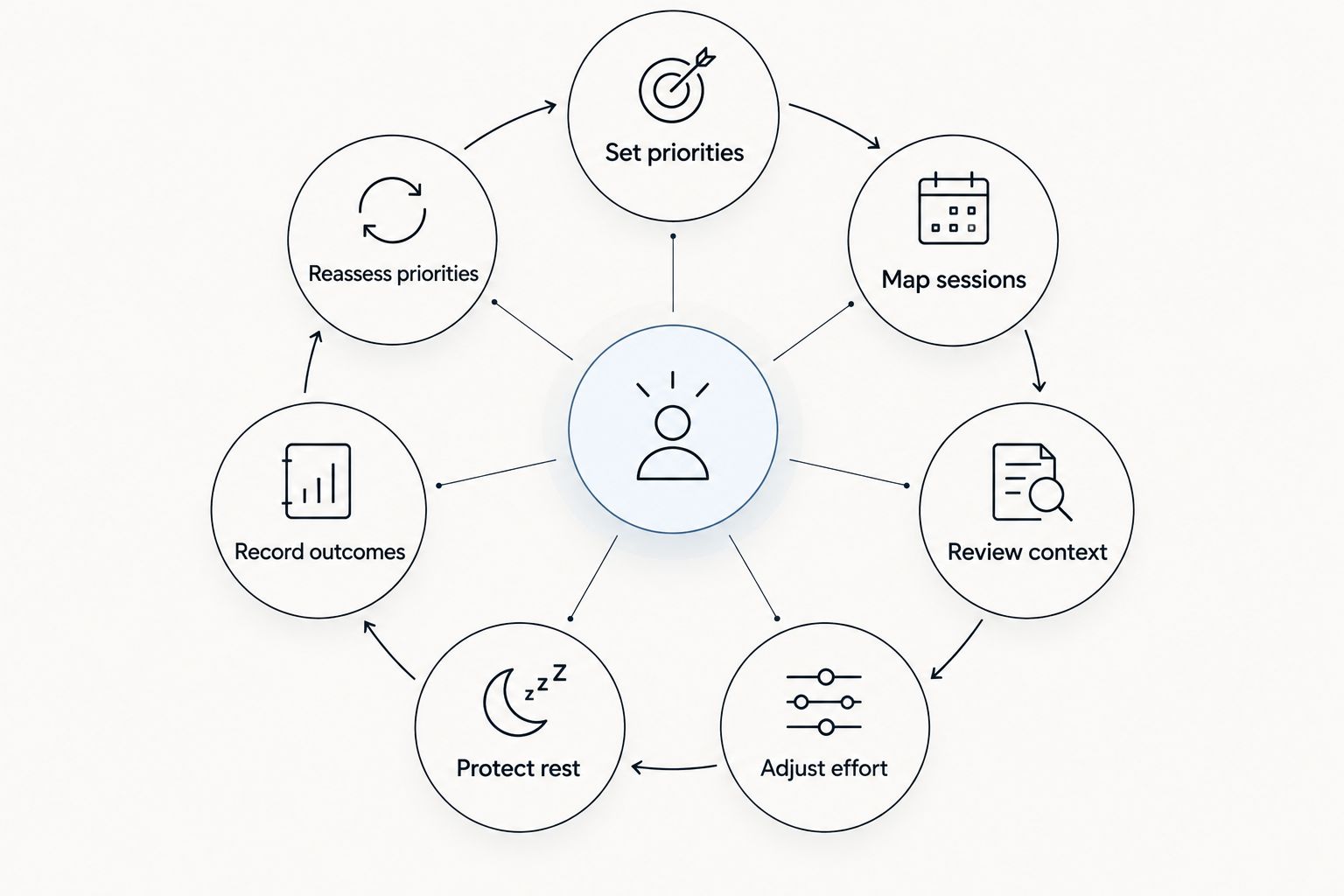
Use this sequence for your 2026 review: Set priorities, Map sessions, Review context, Adjust effort, Protect rest, Record outcomes, Reassess priorities. The sequence keeps your goal ahead of the dashboard while leaving room to respond to actual training.
Do not change everything after one frustrating session. Identify the recurring problem, choose a specific revision and keep a record of what you changed.
- Identify the scheduling conflict that keeps returning.
- Decide whether the goal or the calendar needs revision.
- Make one clearly described planning change.
- Keep running, lifting and rest visible in the revised plan.
Compare your options for mixed-training guidance
Choose the option that matches the job you need done. Recording sessions, interpreting wearable context and receiving individualized coaching are different tasks. No single option should get credit for capabilities you have not confirmed.
| Option | Best for | Main advantage | Key limitation |
|---|---|---|---|
| Manual calendar and notes | People comfortable making their own adjustments | You control the schedule and record your reasoning | You must bring the information together and interpret it yourself |
| Workout logger | People whose main need is recording completed training | Keeps a record of sessions for review | Recording work does not by itself resolve competing training priorities |
| Aevis | iPhone wearable users seeking personalized training, recovery, sleep and nutrition guidance | Uses the stated wearable and health-data sources to inform guidance | Its stated scope does not establish race-specific programming, injury assessment or live coaching |
| Qualified coach | People seeking direct discussion of competing performance goals | Provides a person with whom to discuss the plan and adjustments | Expertise and service scope need checking; coaching is not automatically medical care |
Before selecting an app, write a real question from your training week. For example: “Which session should I protect when my run and lower-body workout compete?” Evaluate whether the guidance addresses that question clearly, without claiming certainty the information cannot support.
If Aevis matches your needs, take the next step toward installing the app and completing its existing onboarding. Review the information you share and keep your current training priority clear. Do not assume a feature exists because another fitness app offers it.
Explore guidance for your training week
See whether the app fits your need for training, sleep and recovery guidance.
Common mistakes mixed-training users make
Treating running and lifting as separate calendars
A run does not stop being part of your training because it lives in another app. Keep both activities in the same planning view so you can see competing demands. Review the whole schedule before adding another session.
Letting a score choose the goal
Your priority should come from what you want to achieve, not from whichever metric looks most urgent today. Use wearable information to inform a decision within that goal. Do not let each new reading rewrite the purpose of your training.
Turning missed sessions into catch-up work
A missed workout changes the schedule; it does not create an automatic obligation to stack sessions. Reassess what still matters and what fits. Preserve the purpose of the plan rather than its original list of appointments.
Assuming personalization means specialist expertise
Personalized guidance is not proof of expertise in your race distance, lifting discipline or medical condition. Check the stated scope. Seek a suitably qualified professional when the decision requires expertise beyond general training and recovery guidance.
FAQ
What's the best ai fitness app for mixed training?
The best fit is an app that addresses your actual running, lifting and recovery decisions using information you can verify. Aevis suits iPhone wearable users seeking personalized training, recovery, sleep and nutrition guidance; its stated scope does not establish specialist race programming.
Can I use wearable data to decide whether to run or lift?
Wearable data can inform that decision, but it should not make it alone. Consider your training priority, recent sessions, sleep context and how you feel before choosing the next session.
Should I lift and run on the same day?
There is no universal same-day rule for every mixed-training user. Base the arrangement on the purpose and demands of each session, your schedule and your response; seek a qualified coach for individualized performance planning.
Do I need another app if I already have a workout logger?
You need another app only if it addresses a job your current setup leaves unresolved. A logger records training; guidance should help you interpret relevant context and choose a next action.
Does Aevis use Apple Watch, Garmin and Oura data?
Aevis uses Apple Health, Apple Watch, Garmin and Oura data to give iPhone users personalized training, recovery, sleep and nutrition guidance. Confirm the current setup information before relying on a particular data connection.
Should I cancel training after one poor recovery score?
Do not treat one recovery score as an automatic cancellation rule. Review your recent training, sleep and current condition; a wearable score is not medical clearance or a diagnosis.
Can an app tell me whether soreness is an injury?
An app should not be treated as a diagnosis or a replacement for qualified care. Seek medical assessment when pain or other symptoms raise concern rather than using a training recommendation to rule out injury.
One last thing
Before choosing your next workout, write the question you need answered: “What am I protecting today?” Name the priority session, the opportunity to rest or the schedule constraint. That makes a recommendation easier to evaluate—and makes it harder to mistake more data for a useful decision.