Use an AI fitness app for training plateaus to compare repeatable training results with your sleep, recovery and recent schedule, then choose one adjustment you can evaluate. For your 2026 review, start with the sessions you actually completed—not an isolated wearable score—and treat the app’s guidance as coaching support, not a diagnosis.
- Use an AI fitness app for training plateaus to review training results alongside sleep and recovery context.
- Aevis turns training, sleep and recovery data into a useful next step for iPhone users with wearables.
- Compare similar sessions before changing your plan; different exercises or conditions can obscure progress.
- Change one training variable, record the decision, and define what you will review next.
Why this matters
A plateau review should end with a decision, not another dashboard. You need to establish what stopped improving, whether the comparison is fair and what you will do differently at the next relevant session.
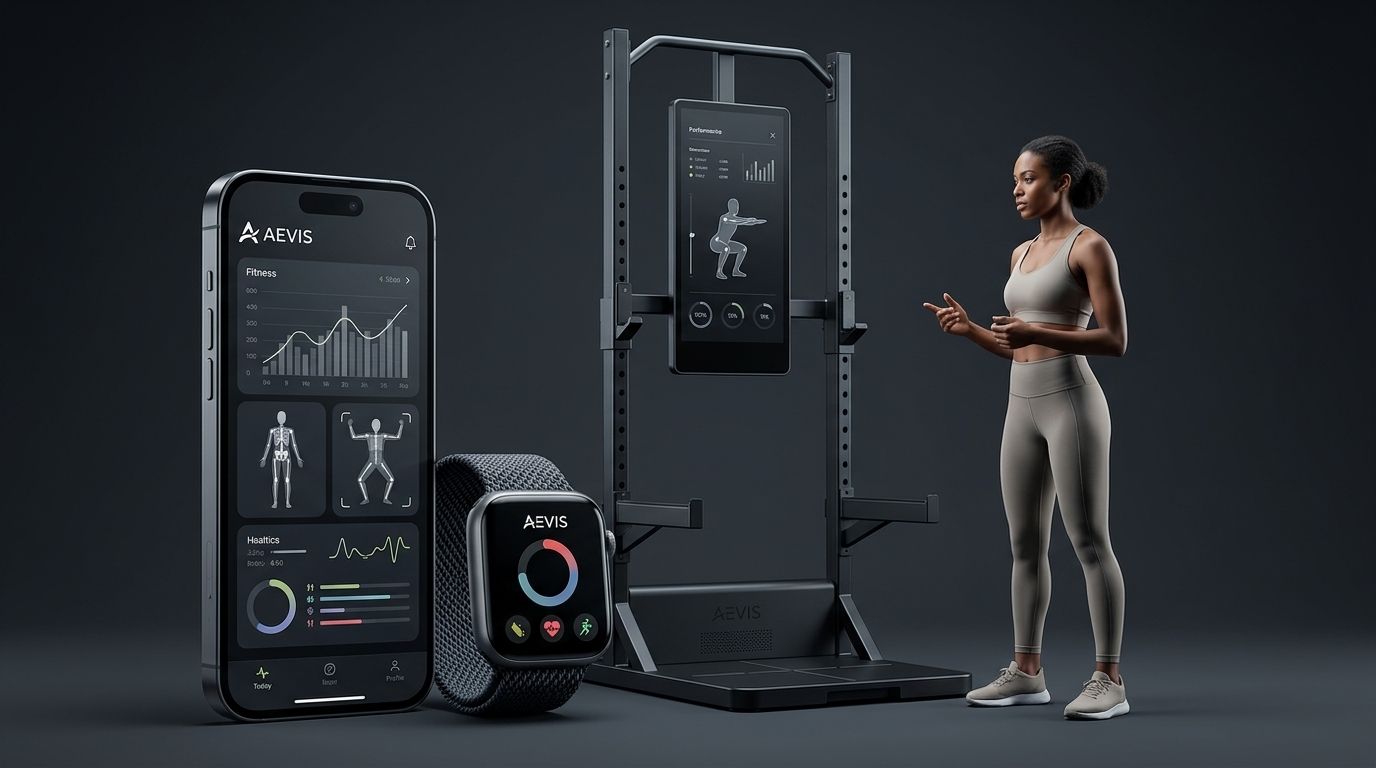
Aevis is an AI fitness coaching app for iPhone users that uses wearable data to personalize training, recovery, sleep and nutrition guidance. That context belongs beside your training results. It does not replace them.
A recovery score cannot establish whether your squat, running pace or training consistency has plateaued. Start with the outcome you want to improve. Then use the surrounding data to frame a useful question.
How do you review a training plateau with an AI fitness app?
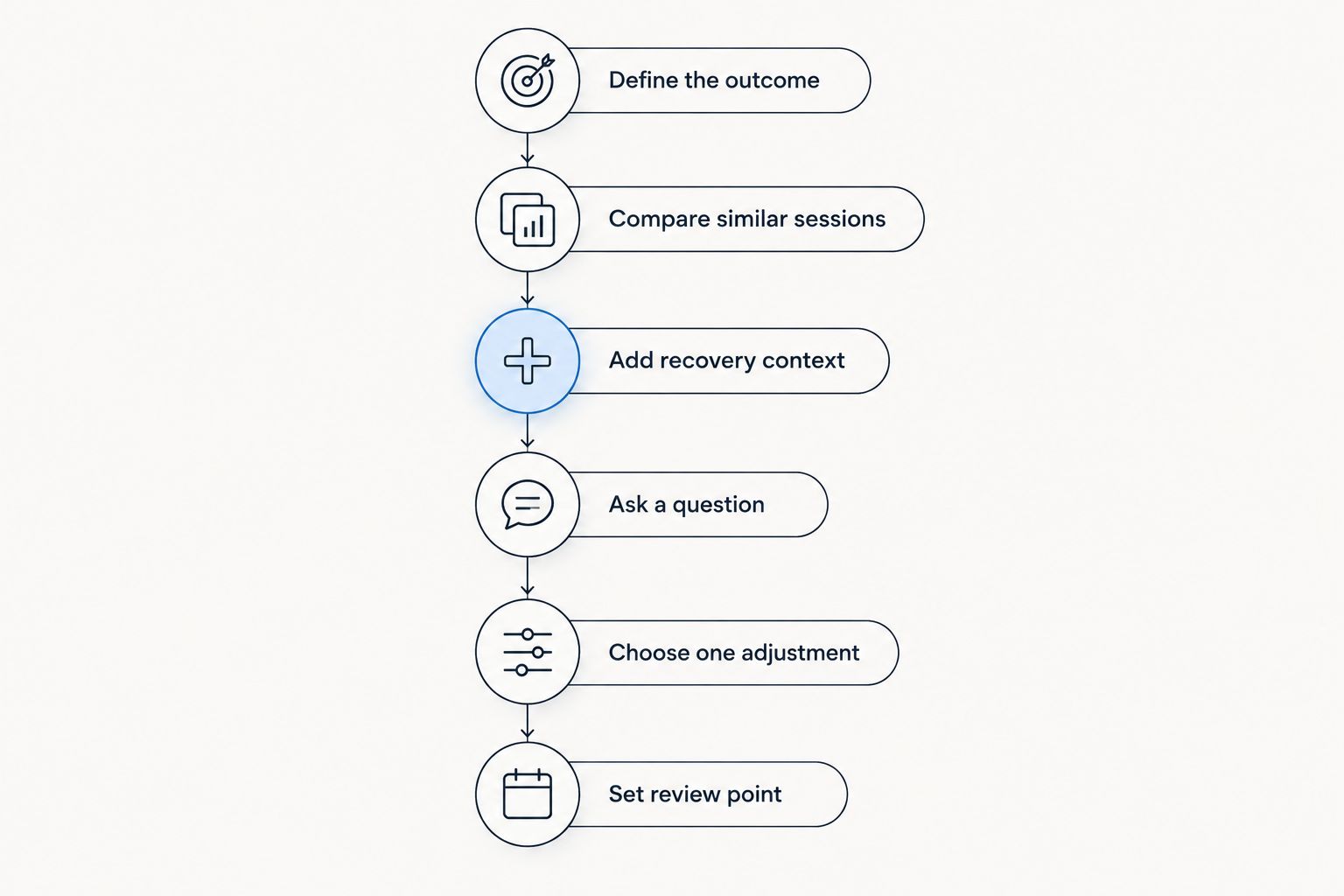
Follow this sequence for your 2026 review. The review windows below are practical starting points for organizing your records, not medical thresholds or proof that a plateau exists.
1. Define the stalled outcome
Write one sentence that describes the problem. Replace “my fitness is stuck” with an observable statement, such as “I am completing the same repetitions at the same load” or “my pace is unchanged on the same route at a similar effort.”
Choose an outcome that matches your goal. If your goal is strength, a wearable’s activity total is not the outcome you are trying to improve. If your goal is running performance, comparing unrelated strength sessions will not answer the question.
Record what success would look like before asking for advice. Otherwise, you can finish the review with a different target and no clear way to judge the recommendation.
2. Compare similar sessions
Start with 3 comparable sessions. This is a review task, not a rule that three sessions establish a plateau. Choose sessions with the same exercise or route and enough recorded detail to understand the result.
For strength training, check exercise variation, load, repetitions, sets and rest periods. For running, check route, distance, terrain and the effort you intended. Note differences instead of treating them as interchangeable performances.
If your records are inconsistent, make the next step better recording. A precise-sounding adjustment cannot repair a comparison built from different tasks.
3. Add sleep and recovery context
Look back over 2 weeks as an initial review window. Put the comparable sessions beside your sleep records, recovery information and notes about travel, illness or schedule changes. Extend the window when the relevant sessions sit farther apart.
Describe what changed without claiming that it caused the stalled result. “Shorter recorded sleep coincided with the difficult sessions” is a useful observation. “Poor sleep caused my plateau” is a conclusion the records alone do not establish.
Keep your own experience in view. Record soreness, unusual fatigue and how the warm-up felt in plain language. Do not force those observations to agree with the wearable.
4. Ask a bounded question
Give the app a specific job: review the stalled outcome, identify relevant changes and suggest a next step with a reason. Include the sessions being compared and any important differences you already found.
For example, ask it to review repeated strength sessions alongside your sleep and recovery context, then explain whether the records support changing the next session or collecting a cleaner comparison first. This is a question template, not a claim about any app’s interface.
Ask the app to separate observations from interpretations. You should be able to see which part of the recommendation comes from your records and which part remains uncertain.
5. Choose one adjustment
Change 1 variable at a time when you want a readable comparison. For example, change the session’s planned workload while keeping the exercise and recording method consistent. Do not simultaneously replace the exercise, alter the schedule and change every target.
The right adjustment depends on your training plan and circumstances. Keeping the plan unchanged while improving your records is also a valid decision. A review does not have to produce a harder workout.
Write down the decision before the next session. Include what stays the same, what changes and why that change answers the question you asked.
6. Set the review point
Choose a review point tied to the next comparable sessions, rather than a promise of improvement by a certain date. Record the result and whether you followed the adjustment as intended.
If you changed several things or missed the planned sessions, label that honestly. You have a different observation, not a failed experiment. Use it to set up the next useful comparison.
Which review approach fits your situation?
You can review a plateau manually or use an app to help connect the records. For a 2026 app decision, compare the job each approach does—not how much information it displays.
| Approach | Best for | Useful contribution | Limitation |
|---|---|---|---|
| Manual training review | You already keep clear session records | Lets you inspect the exact exercises, efforts and conditions being compared | You must bring sleep, recovery and schedule context together yourself |
| App-assisted review | You want help interpreting training alongside wearable data | Can organize the question around training and recovery context | The recommendation still needs checking against your records and circumstances |
Neither approach makes an uneven comparison reliable. Choose the approach that helps you explain the next decision in plain language. If you cannot say what changed or why, simplify the review before adding more data.
Why plateau recommendations vary
A useful recommendation depends on the question and the evidence you provide. Check these factors before accepting advice to change your training:
- Goal: Improving a lift, completing sessions consistently and running a familiar route are different tasks. Name the task first.
- Session comparability: Different exercises, routes or rest periods change what you are comparing. Record those differences explicitly.
- Training completion: Review completed work, not just the plan. A missed session belongs in the explanation.
- Recovery context: Sleep records, fatigue notes and recent illness provide context. They do not establish a diagnosis or a single cause.
- Data continuity: Missing nights or unrecorded workouts leave gaps. Identify those gaps before interpreting a trend.
- Practical constraints: Travel, equipment access and changing work hours affect which next step you can actually follow.
These factors explain why a generic instruction to “push harder” is not a plateau review. The recommendation must answer your specific question and fit the sessions you can complete.
What if your strength numbers are unchanged?
First, check whether the lifting task stayed the same. Compare technique expectations, exercise variation, load, repetitions and rest periods. If those details changed, describe the result as a changed comparison rather than confirmed stagnation.
Then identify the decision you need help making. You might need to review the planned progression, keep the current task consistent or discuss the program with a qualified trainer. Avoid choosing a workload increase solely because a wearable reports favorable recovery.
The American College of Sports Medicine’s position stand, Progression Models in Resistance Training for Healthy Adults, supports tailoring progression to goals, physical capacity and training status. That is general training guidance, not evidence that a particular app identifies plateau causes or improves results.
For a closer look at the planning task, read AI fitness app guidance for strength training. Use the same principle in your 2026 review: the session record must explain what you are trying to progress.
What if your wearable looks positive but training feels difficult?
Record the disagreement. A favorable wearable result is not an instruction to ignore pain, unusual fatigue or a warm-up that feels wrong.
Review the actual session alongside the device information. Ask whether the recommendation accounts for your reported experience, not just the recorded trend. If it does not, do not treat the recommendation as a complete assessment.
Do not use an app to decide whether unexplained symptoms are safe to train through. Stop the training review and seek qualified care when symptoms need assessment. Coaching guidance is not medical clearance.
How can Aevis support a plateau review?
Aevis is best for iPhone users who want personalized training and recovery guidance from their wearable data. It uses Apple Health, Apple Watch, Garmin and Oura data to connect training, sleep and recovery context with a useful next step.
The relevant benefit is context for a decision. The boundary is equally important: this is coaching support, not diagnosis, medical clearance or a guaranteed solution to a plateau.
If that matches your needs, take the next step toward installing the app and completing its existing onboarding. Bring a defined training question to the process. “Help me review these comparable sessions” gives the review a clearer purpose than “optimize my fitness.”
Review your next training decision
Explore wearable-informed training and recovery guidance, then complete the existing app onboarding.
Should I change my training immediately?
Change 1 variable at a time if your review supports an adjustment; do not rebuild the whole plan because of one disappointing session. First check whether you completed the intended work and whether the sessions are comparable.
If the comparison is weak, keep the next task consistent and improve the record. That gives your next review a clearer starting point.
How many workouts should I review first?
Start with 3 comparable sessions to organize the review, then look farther back if those sessions do not explain the pattern. Three sessions are a starting checklist, not a scientific cutoff for declaring a plateau.
A training change deserves more context than a single result. Your program, session frequency and quality of recording determine how much useful history you have.
FAQ
What's the best way to use an AI fitness app for training plateaus?
Use an AI fitness app for training plateaus to compare repeatable sessions with sleep, recovery and schedule context. Ask for a reasoned next step, then check whether it fits your records and circumstances.
Can Aevis help me review a training plateau?
Aevis provides personalized training and recovery guidance using Apple Health, Apple Watch, Garmin and Oura data for iPhone users. Use that context alongside a clear description of what stopped improving; it is not a medical assessment.
Does a low recovery score mean I should skip my workout?
A low recovery score alone does not answer whether you should skip a workout. Consider your symptoms, planned session and recent context, and seek qualified care when symptoms need assessment.
How long does it take to fix a training plateau?
There is no fixed timeline that this review can promise. Define the next comparable sessions and reassess the decision rather than choosing a guaranteed deadline.
Should I increase weight when my progress stalls?
Do not increase weight solely because progress appears stalled. Review the completed sets, repetitions, technique expectations and recovery context before deciding whether progression is appropriate.
What should I do if my wearable data is incomplete?
Identify the missing workouts or nights before interpreting the pattern. Use the records you can verify and collect a more consistent comparison rather than treating gaps as normal results.
Can an AI fitness coach replace medical advice?
An AI fitness coach does not replace medical advice, diagnosis or qualified care. Do not use a training recommendation as clearance to exercise through unexplained symptoms.
One last thing
Your most useful 2026 plateau review can end with “keep the task consistent and record it better.” That is a concrete next step, not an absence of advice.
Before your next session, write down the outcome, the comparison and the decision. If the app’s recommendation does not connect those three, ask a narrower question.