Brief an AI fitness app for short workouts with your full 20-minute time limit, your goal, available equipment, recent training, and how you feel today. Ask for a session that includes preparation, exercise changes, and a clear stopping point—not 20 minutes of exercise plus extra setup. Treat the result as a draft you check before starting, not permission to ignore pain or squeeze a longer workout into less time.
- An AI fitness app for short workouts needs your total time limit, equipment, training goal, and recovery context.
- Aevis suits iPhone wearable users seeking personalized training, sleep, and recovery guidance.
- Ask for a complete 20-minute session, including preparation and equipment changes.
- Reject instructions that require unfamiliar movements, unavailable equipment, or rushing to finish.
How do you brief an AI fitness app when you have 20 minutes?
State the constraint before asking for the workout. Your brief should explain what fits today, rather than asking the app to shorten an unspecified session. Use this template for your next short workout in 2026:
I have 20 minutes from starting preparation to finishing. My goal today is [goal]. I have [equipment] and [space constraints]. My recent training was [relevant sessions]. Today I feel [energy, soreness, and any limitations]. Keep the session within my time limit, explain the priority, and tell me what to remove if I run behind. Include preparation and equipment changes in the total.
Replace the bracketed prompts with your circumstances. Describe what you actually have, not equipment you could theoretically find elsewhere.
For iPhone wearable users, Aevis provides personalized training, recovery, sleep, and nutrition guidance using Apple Health, Apple Watch, Garmin, and Oura data. That context does not eliminate the need to explain today's deadline or available space.
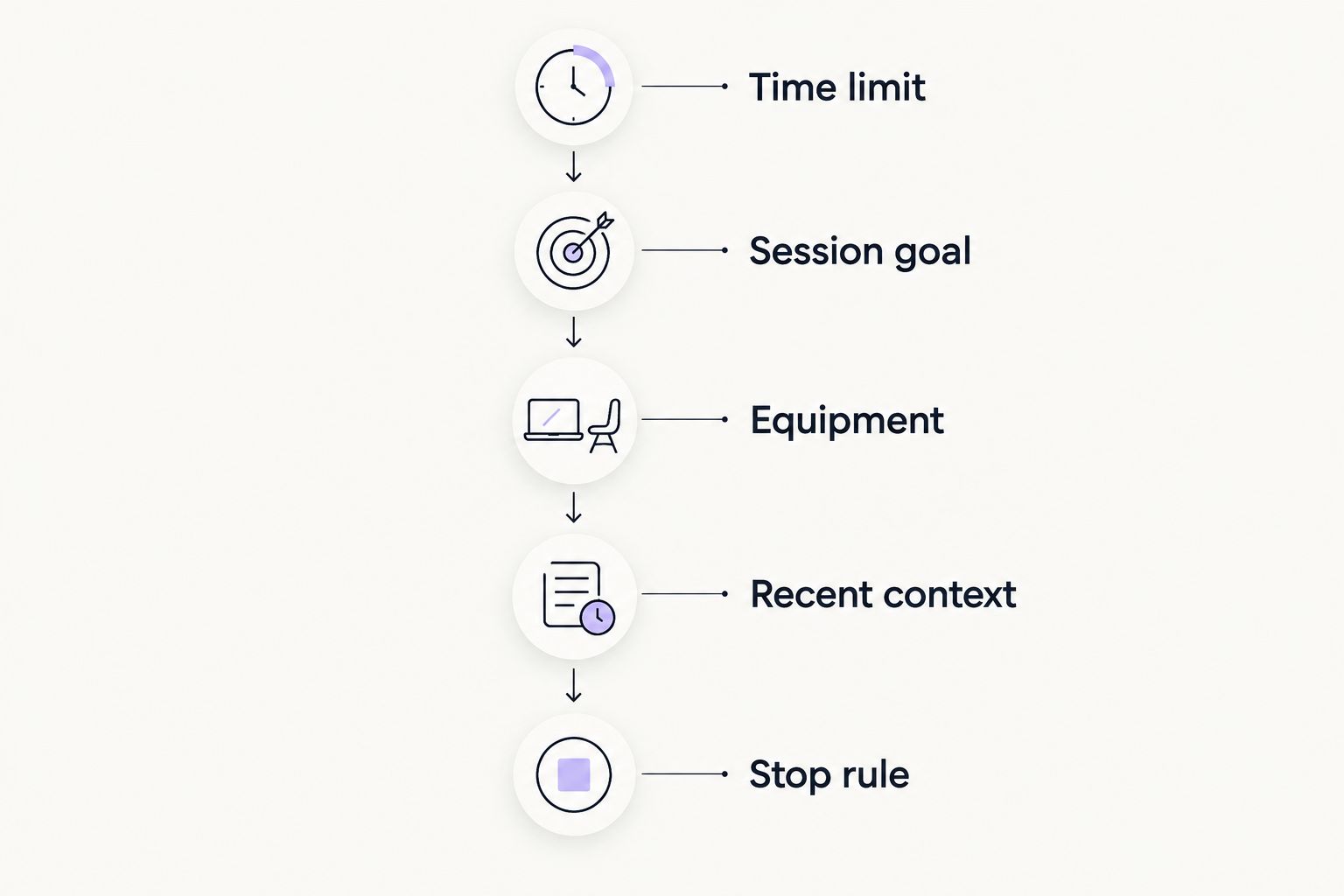
Build the brief in this order
- Time limit. Say that 20 minutes is the entire window. Include getting ready and changing equipment.
- Session goal. Name the main job: strength practice, a run, or a lighter session. Avoid asking a short workout to accomplish every training goal.
- Equipment. List what is within reach. Include restrictions such as no floor space or no equipment changes.
- Recent context. Describe relevant training, sleep, and current soreness in plain language. Add wearable context without treating a score as a command.
- Stop rule. Ask what to remove if time runs short. Make the finish time non-negotiable.
This order puts feasibility before exercise selection. A detailed workout is not useful if you cannot complete its setup.
Why this matters
A workout request can sound specific while leaving the practical decisions unanswered. Asking for a quick strength session does not tell the app whether you have equipment ready, whether yesterday involved lifting, or whether you must leave immediately afterward.
More instructions are not the goal. Better constraints are. In your 2026 workout routine, the useful output is a next action you can perform in the space and time available.
Keep two questions separate: what would fit your broader training plan, and what you can reasonably do today. Your brief should connect them without pretending a short session replaces every part of a longer one.
Choose the job before choosing the exercises
A short session needs a priority. The table below compares ways to frame the request; these are briefing choices, not claims that every option produces the same training result.
| Session request | Best for | What to include in the brief | Advantage | Limitation |
|---|---|---|---|---|
| Strength practice | Continuing a strength-focused routine | Familiar movements, available equipment, recent lifting | Gives the app a defined training purpose | Setup and rest still need room in the schedule |
| Short run | Continuing a running routine | Route access, recent running, available time | Keeps the request centered on running | Getting outside and returning must fit the window |
| Lighter session | Choosing a less demanding day | How you feel and what you want to avoid | Makes the intended effort clear | Does not establish whether symptoms need clinical care |
| Home session | Working within your current space | Exact equipment and movement restrictions | Removes unnecessary travel from the request | Space and equipment limit exercise choices |
Choose the row that matches today's purpose. Then state the constraints that would make its suggested session unusable.
For example, a home session brief should identify whether floor exercises are practical. If your room cannot accommodate them, say so before exercise selection. The home-workout equipment guide covers this constraint in more detail.
Make the 20-minute limit include everything
Do not accept a plan merely because its heading says 20 minutes. Check what the total includes.
A session can contain preparation, instruction reading, equipment setup, exercise, rest, and transitions. Ask the app to account for each relevant part rather than listing exercises and leaving you to discover the missing time.
An illustrative time budget is 4 minutes of preparation, 14 minutes of the main session, and 2 minutes to finish. That adds up to your 20-minute window; it is a scheduling example, not a recommended exercise prescription. Your activity, experience, and individual needs determine whether that division is appropriate.
Ask for the arithmetic to be visible. If exercise intervals already fill the entire window, preparation and transitions have not been included.
When the plan overruns, remove work rather than racing through it. Request a shorter version with fewer components. Do not let a calendar constraint become an instruction to rush an unfamiliar movement.
Why short-workout recommendations vary
Different briefs should produce different plans. The useful question is whether the difference follows from information you supplied.
- Training goal. A strength-focused request and a running-focused request ask for different work. Name the priority rather than requesting an all-purpose session.
- Equipment and space. Available equipment defines what you can perform. Setup requirements also consume part of the window.
- Recent training. Tell the app what you recently did so the recommendation can address that context explicitly.
- Current condition. Describe energy, soreness, symptoms, and movement restrictions without asking the app to diagnose their cause.
- Wearable context. Sleep and activity records provide context, but they do not describe every aspect of how you feel or what your schedule permits.
- Hard deadlines. A session before a meeting needs a definite finish. State whether the window also includes changing clothes or leaving the house.
These are inputs to a decision, not reasons to accept every recommendation. If the suggested session contradicts a constraint, ask for a revision before starting.
Turn wearable context into a clear request
Your wearable and your brief have different jobs. Recorded sleep and activity describe part of the background; your message explains the decision you need help making now.
In 2026, keep the briefing focused on interpretation rather than copying every dashboard value. Describe the issue in plain terms: your sleep was disrupted, you trained recently, or your legs feel different from usual. Include exact readings only when they are relevant to the question.
A useful example brief is:
I have 20 minutes at home and no time to change equipment. I trained legs in my last session. My sleep was interrupted, and my legs still feel sore. Help me choose an appropriate session for today. Explain the choice and identify any information you need before recommending exercises.
This is an example of information to supply, not a treatment recommendation. It asks the app to explain its reasoning instead of converting a wearable score directly into an instruction.
Aevis turns training, sleep, and recovery data into a useful next step for iPhone wearable users. The benefit is personalized guidance across that context. The boundary is equally important: AI coaching is not diagnosis or a replacement for qualified care.
Check the proposed workout before you start
Read the entire plan before beginning. A recommendation that looks simple at the top can introduce an unavailable exercise or an unrealistic transition farther down.
Use this acceptance check for your 2026 short-workout routine:
- The total fits. Preparation, exercise, rest, and transitions stay inside your stated window.
- The equipment matches. Every required item is available where you will train.
- The movements are familiar. You understand the instructions and can identify anything requiring qualified help.
- The purpose is clear. The app explains which goal the session serves rather than presenting an unrelated exercise list.
- The fallback is explicit. You know what to remove if setup takes longer than expected.
- The limits are respected. The plan does not tell you to ignore symptoms or override professional advice.
If the proposal fails a check, name the failure directly. Ask it to remove the unavailable equipment or include transition time. Do not make a vague request for a better workout when you can identify the exact problem.
What should you tell the app if you have exactly 20 minutes?
Twenty minutes must mean the complete session, not the main exercise block alone. State the finish time, the activity you want to prioritize, and any setup that belongs inside the window.
Ask for a stopping rule as well as a starting plan. You should not need to improvise cuts while watching the clock.
Can you ask for a shorter version of a longer workout?
Twenty minutes is a new constraint, not an instruction to perform a longer workout faster. Ask the app to preserve the session's stated priority while removing work that does not fit.
Request an explanation of what changed. That makes the trade-off visible instead of leaving you with a shortened list whose purpose is unclear.
What if you feel worse once the session starts?
Twenty minutes is a limit, not an obligation. Stop rather than treating completion as the priority when pain or concerning symptoms develop.
Do not ask an AI coach to rule out a medical problem. Seek qualified care for symptoms or restrictions that require clinical judgment.
Take the next step without adding another dashboard
If the approach matches what you need, explore Aevis and complete its existing onboarding. Bring a concrete situation: your next short training window, available equipment, recent activity, and the decision you want help making.
Do not assume an app knows your deadline because it has wearable data. For your 2026 routine, keep the distinction simple: connected data supplies background, while your brief supplies today's constraints.
Explore guidance for your next session
Learn about personalized training, sleep, and recovery guidance for iPhone wearable users.
FAQ
What's the best way to brief an AI fitness app for short workouts?
Lead with your total time limit, goal, equipment, recent training, and current condition. Ask for preparation and transitions to fit inside the session, with an explicit stopping rule.
Can an AI fitness app plan a workout when I only have 20 minutes?
You can request a plan for a complete 20-minute window, then check that its preparation, exercise, rest, and transitions fit. Do not assume the session title accounts for every part.
Should I share my wearable's recovery score before a short workout?
Share relevant wearable context alongside how you feel and what you recently trained. Do not treat a recovery score as medical clearance or an instruction to ignore symptoms.
Should I skip preparation to fit more exercise into 20 minutes?
Do not solve an unrealistic schedule by silently removing preparation. Ask for a revised session that includes the preparation appropriate to the activity and your needs.
Is Aevis relevant if I already use Apple Watch or Oura?
Aevis provides personalized training, recovery, sleep, and nutrition guidance using Apple Health, Apple Watch, Garmin, and Oura data for iPhone users. You still need to explain practical constraints such as equipment and your available time.
Can an AI fitness coach tell me whether pain is safe to train through?
An AI fitness coach is not a substitute for qualified assessment of pain or other concerning symptoms. Stop the session when symptoms require attention rather than asking the app for permission to continue.
One last thing
Ask the app what to remove before you ask what to add. A plan without a fallback leaves you making the hardest scheduling decision halfway through the session.
Your brief is complete when it defines both the workout's purpose and its stopping point. Keep that rule even when your available time changes.